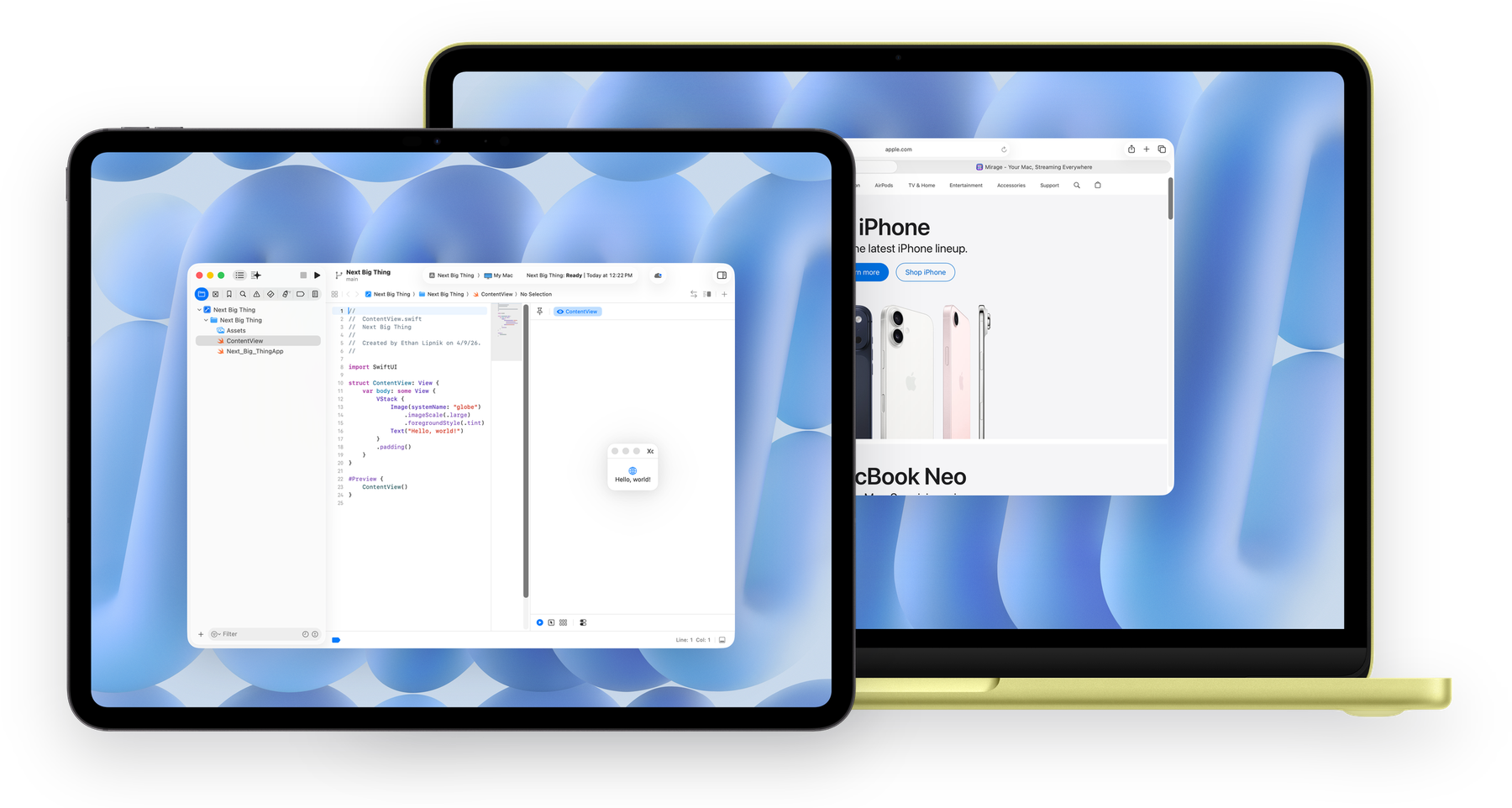
Real-time window streaming for Apple devices

Your Mac,
streaming to
every screen.

Stream any window or your full desktop to your Apple devices with ultra-low latency. Just your Mac, wherever you are.

Available for: macOS iOS iPadOS visionOS
Window Streaming Desktop Mirroring ProMotion Apple Pencil End-to-End Encrypted Ultra-Low Latency Audio Streaming iCloud Auto-Trust Window Streaming Desktop Mirroring ProMotion Apple Pencil End-to-End Encrypted Ultra-Low Latency Audio Streaming iCloud Auto-Trust

Built for how you
actually work.

Window Streaming

Stream one app or multiple windows at once, including Xcode, Figma, and Logic Pro, without sharing your full desktop.

Desktop Streaming

Turn your iPhone, iPad, or Vision Pro into a full virtual display, with headless Mac support so no monitor is needed.

ProMotion

Buttery-smooth ProMotion streaming with adaptive refresh that follows your display.

Apple Pencil

Full pressure, tilt, and orientation data. Use your iPad as a drawing tablet for Photoshop, Illustrator, and more.

End-to-End Encrypted

Every video, audio, and input packet is encrypted between your devices. Nothing leaves your network unprotected.

Ultra-Low Latency

Direct peer-to-peer streaming for ultra-responsive control and playback.

iCloud Sharing

Your own devices connect automatically via iCloud. Share access with friends and family, even across different iCloud accounts.

Audio Streaming

Stream your Mac's audio alongside video with stereo, 5.1 surround, and lossless quality options.

Pixel-Perfect Display

Native Retina resolution with correct aspect ratios. Resize freely, rotate between orientations, and every pixel stays sharp.

Three steps.
That's it.

Mirage streams over wired, Wi-Fi, direct device-to-device, and remote connections. No setup required.

1

Install the host.

Download Mirage Host on the Mac you want to stream from. A quick wizard handles permissions.

2

Get connected.

Open Mirage on your iPhone, iPad, Mac, or Vision Pro. Your host appears automatically over Bonjour.

3

There's no step 3.

You're done. Pick any app window or stream your entire desktop. Input, audio, and Pencil work instantly.

Why Mirage?

See how Mirage stacks up against other ways to extend your Mac.

Feature Mirage Sidecar Luna Display Jump Desktop
Individual window streaming
Desktop as virtual display
120Hz ProMotion*
Apple Pencil pressure & tilt
10-bit HDR / Display P3
End-to-end encryption ~
Audio streaming
iPhone support
Apple Vision Pro (native)
No dongle required
Remote access over internet
Headless Mac support
Remote wake & unlock from login**

* ProMotion is experimental and in active development, and refresh performance may vary during use.
** Remote wake and unlock from login are experimental and in active development, and availability may vary by host configuration.

Free to start.
Pro when you're ready.

Start for free with generous limits. Upgrade to Pro to unlock the full power of Mirage, with a free trial included.

Free

$0

forever

  • Up to 1080p resolution
  • 8-bit color
  • 60Hz streaming
  • 2 app windows at a time
  • LAN connections
  • Mono audio
  • Apple Pencil support
  • End-to-end encryption
Most Popular

Mirage Pro

$4.99/mo
or $49/yr Save 18%

free trial included

  • 6K+ uncapped resolution with Retina
  • 10-bit HDR & Display P3
  • ProMotion
  • Unlimited app windows
  • Remote access over the internet
  • Lossless & 5.1 surround audio
  • Enhanced dictation
  • Support open-source development

Lifetime

Pay once, keep forever. All future updates included.

$119.99

one-time purchase · all Pro features

Your Mac, on every screen.

Download Mirage free on the App Store. Available for macOS, iOS, iPadOS, and visionOS.

Download on the App Store Download Mirage Host for Mac